30 Day Pilot: WhatsApp vs Messenger for AI Support Teams
30 Day Pilot: WhatsApp vs Messenger for AI Support Teams
Insights
12 min
For most businesses, WhatsApp is the stronger first channel for AI customer service, thanks to its massive global reach and the trust customers place in it for direct, personal conversations. Messenger wins when your audience already lives inside Facebook and you need free-flowing, template-free automation. The real answer depends on where your customers already talk to you. The exceptions matter as much as the rule.
TL;DR:
WhatsApp offers broader global reach with over two billion users, especially in Latin America, South Asia, the Middle East, and Africa, making it ideal for high-trust, consultative sales.
Messenger provides faster, simpler setup by linking directly to an existing Facebook Page, making it suitable for low-cost, quick pilots and FAQ automation.
WhatsApp’s API involves strict verification, message template approval, and higher upfront effort, leading to better performance for high-value transactions.
Messenger typically incurs no per-conversation fees, but ad spend is necessary for driving traffic, making it cost-effective for lightweight, high-volume interactions.
Using a unified platform like Droxy can streamline management across both channels, reduce verification and template rework, and keep business rules consistent.
DroxyKeep AI Support Channels ConnectedDeploy AI agents across WhatsApp, Facebook, and other channels while keeping customer interactions aligned with your brand voice.Explore Droxy
Table of Contents
WhatsApp vs Messenger: Comparing What Matters for AI Agents
WhatsApp Business Features That Shape AI Agent Performance
Facebook Messenger Features That Simplify AI Bot Deployment
What to Check Before You Go Live on Either Channel
How to Choose: A Fast Decision Checklist
What I’ve Learned Watching Teams Pick the Wrong Channel First
How Droxy Handles the WhatsApp vs Messenger Decision for You
Sources
WhatsApp vs Messenger: Comparing What Matters for AI Agents
Reach is the first fork in the road. WhatsApp has more than two billion users worldwide and functions as the default messaging app in large parts of Latin America, South Asia, the Middle East, and Africa. Messenger’s strength is narrower but real: it’s dominant among audiences who are already engaged with your Facebook Page, running ads, or browsing on desktop.
Integration complexity splits the two platforms sharply. The WhatsApp Business API requires business verification, message template approval, and usually a developer or a vendor to configure it correctly. Messenger, by contrast, connects directly to an existing Meta Page with native bot tooling that’s often ready to test the same day you set it up.
Cost models diverge just as much:
WhatsApp: charges apply per conversation and per approved template, and setup often needs technical integration work before you send your first automated message.
Messenger: typically avoids per-conversation fees for direct messaging, though ad spend to drive people into Messenger threads is its own cost line.
Hidden costs on both: template rejections, developer hours, and ongoing monitoring add up regardless of which platform you pick.
Automation and commerce features favor WhatsApp when the goal is transactional. Payment links, order confirmations, and business-initiated notifications are built around WhatsApp’s template system, which makes it a natural fit for appointment reminders, shipping updates, and cart recovery. Messenger leans toward structured, menu-driven bot flows and integrates smoothly with campaigns already running on Facebook.
User expectation is the quiet variable nobody puts in a spreadsheet. WhatsApp conversations feel personal, almost like texting a friend, because that’s exactly how customers use it in their personal lives. Messenger carries more of a social and advertising context, so customers arrive expecting a faster, lighter interaction rather than a deep back and forth.
On operational controls, both platforms support human handoff, CRM syncing, and analytics, but the depth of that tooling depends heavily on which vendor or platform you build on rather than the messaging channel itself.
WhatsApp Business Features That Shape AI Agent Performance
The WhatsApp Business API (WABA) is built around a few core mechanics: business verification through Meta, pre-approved message templates for anything you initiate, and a strict approval workflow before those templates go live. Miss a step and your AI agent simply can’t send outbound messages, only reply within the 24-hour customer service window.
That structure sounds restrictive, but it’s exactly why WhatsApp performs so well for consultative sales and high-consideration support. Customers already trust the channel for personal conversations, so an AI agent answering product questions or walking someone through a service booking feels less like a chatbot and more like a knowledgeable rep.
Payment links and order tracking integrate directly into chat threads, cutting the steps between a question and a completed purchase.
CRM integrations let an AI agent pull order history or appointment status mid-conversation instead of asking the customer to repeat themselves.
Click-to-WhatsApp campaigns often produce lower cost per conversation in markets with heavy WhatsApp usage.
Pro Tip: Submit your message templates for approval a week before launch. Rejected templates are the single most common reason WhatsApp pilots stall past their planned go-live date.
The trade-off is upfront effort. Expect more setup time than Messenger, but the payoff shows up in conversion, particularly for higher-ticket sales where customers want reassurance before they buy.
Facebook Messenger Features That Simplify AI Bot Deployment
Messenger’s biggest advantage is how little friction stands between “we have a Facebook Page” and “we have a working bot.” Because the integration ties directly into your existing Page, onboarding is faster than WhatsApp’s verification and template process, and you typically skip per-conversation fees entirely.
That speed makes Messenger a good pilot channel when you want to test an AI agent’s logic before committing budget to a heavier WhatsApp rollout.
No business verification hurdle, since the bot lives on a Page you already control.
Native tooling supports rich, menu-driven flows, useful for appointment booking or multi-step FAQ trees.
Strong continuity with desktop and web browsing, which matters if your audience researches on a laptop before buying.
Works well for campaign-driven traffic, since ads that click into Messenger keep the conversation inside a tool your team already monitors.
Messenger tends to underperform WhatsApp on perceived intimacy. Customers expect a lighter, more transactional exchange, so it fits low-consideration FAQ or notification use cases better than deep consultative selling.
What to Check Before You Go Live on Either Channel
Getting an AI agent live on WhatsApp or Messenger involves more than flipping a switch, and skipping steps is how pilots stall out in week two.
Verify your business. WhatsApp requires Meta business verification and template approval before you send anything outbound; Messenger only requires an active, admin-controlled Page.
Budget for the real cost categories. Factor in WhatsApp’s per-conversation and template fees, developer time for either platform’s API, and ongoing monitoring once the agent is live.
Confirm consent for business-initiated messages. WhatsApp templates exist specifically to control what you can send without a customer messaging first; automation should never bypass consent rules just because a template got approved once.
Set escalation rules before launch. Decide which conversations route to a human immediately (billing disputes, complaints, anything sensitive) rather than letting the AI agent attempt every message type.
Document data retention. Even without a specific regulation named in your market, customers expect a clear answer if they ask what happens to their conversation history.
Pro Tip: Write your escalation rules down before your first customer chats with the bot, not after the first complaint. Teams that skip this step almost always end up rebuilding the handoff logic mid-launch.
How to Choose: A Fast Decision Checklist
Match the channel to the job, not the other way around. Consultative sales and high-ticket support lean toward WhatsApp’s trusted, personal feel. Transactional notifications, like appointment reminders or shipping updates, work on either channel, but WhatsApp’s template system handles them cleanly. Low-cost, high-volume FAQ deflection is often faster to pilot on Messenger.
Sales-heavy or high-consideration support: start with WhatsApp.
Notifications and reminders: either works, but WhatsApp templates are built for it.
Simple FAQ deflection or a fast pilot: start with Messenger.
Audience active on both: unify routing through one AI layer instead of building two disconnected bots.
Pilot benchmark: Give your pilot 30 days, a fixed scope (one use case, not five), and three KPIs to watch: response time, deflection rate, and conversion on qualified conversations. Click-to-WhatsApp campaigns have shown lower cost per conversation in WhatsApp-heavy markets, which is a useful early signal that your channel choice is paying off.
What I’ve Learned Watching Teams Pick the Wrong Channel First
Most teams pick a channel based on internal preference, not customer habit, then wonder why adoption stalls. The fix is almost always simpler than the tech stack: go where the conversation already happens, and keep your human handoff rules written down before launch, not improvised during it.
— Elena
How Droxy Handles the WhatsApp vs Messenger Decision for You
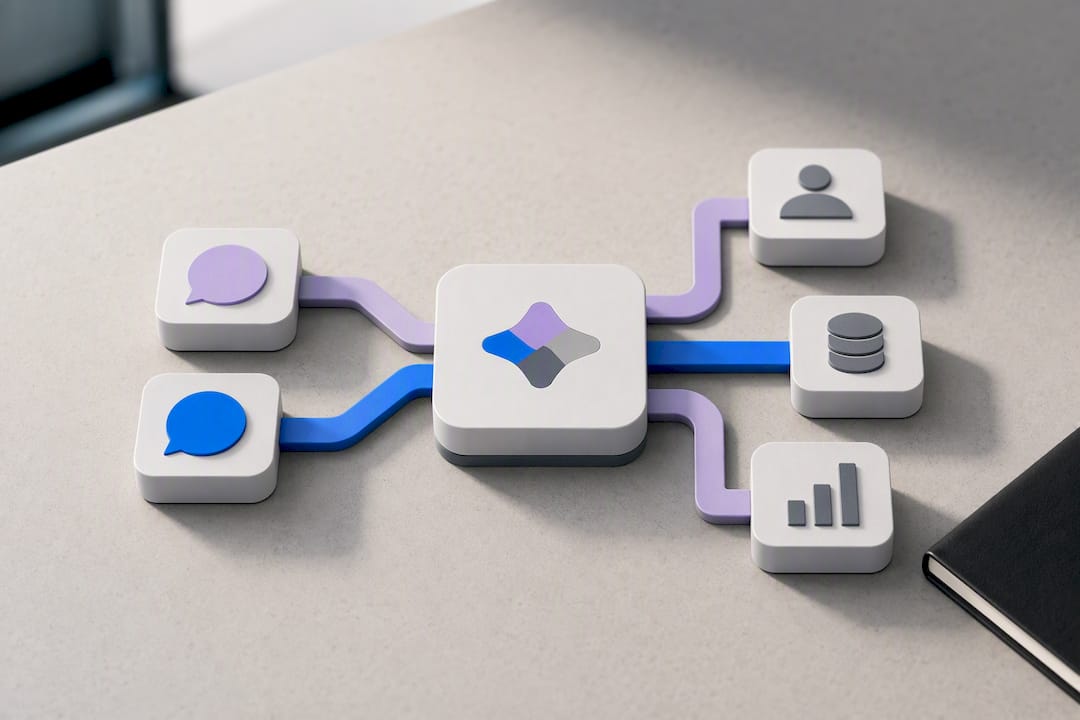
Building WhatsApp and Messenger integrations separately means two verification processes, two sets of templates, and two support queues to babysit. Droxy skips that split by giving you no-code AI agents for both channels from one dashboard, so you’re not rebuilding logic twice for the same customer question.

Droxy offers business verification and template management assistance, syncs with CRMs for order and appointment lookups, and supports routing sensitive items to human agents. If your customers split across both platforms, Droxy’s unified routing keeps consent rules and business logic consistent no matter which app they message from. Check out the WhatsApp agent and Facebook agent product pages, or compare tiers starting at $16 a month on the Basic plan to see which fits your pilot scope.
Sources
FAQ
Is WhatsApp or Messenger Better for AI Customer Service?
WhatsApp generally wins on reach and perceived trust, making it stronger for consultative sales and high-consideration support. Messenger wins on setup speed and typically avoids per-conversation fees, making it a faster pilot channel for simple FAQ automation.
How Long Does It Take to Launch an AI Agent on WhatsApp?
Expect longer setup than Messenger because of business verification and message template approval. A no-code platform like Droxy’s WhatsApp agent shortens that timeline by handling verification and templates on your behalf.
Does Messenger Charge Per Conversation Like WhatsApp Does?
Messenger typically avoids the per-conversation fees that apply to WhatsApp Business API messaging. Your main cost on Messenger tends to be ad spend and development time rather than a direct messaging fee.
Can I Run AI Agents on Both WhatsApp and Messenger at Once?
Yes, and it’s often the right move if your customers split across both platforms. A shared routing layer keeps consent rules and business logic consistent across channels instead of running two disconnected bots.
What Does Droxy Charge for Multi-Channel AI Agents?
Droxy’s plans start at $16 a month for the Basic tier, with Advanced and Enterprise tiers available as your channel and volume needs grow. Exact features per tier are listed on the pricing page.
Recommended
For most businesses, WhatsApp is the stronger first channel for AI customer service, thanks to its massive global reach and the trust customers place in it for direct, personal conversations. Messenger wins when your audience already lives inside Facebook and you need free-flowing, template-free automation. The real answer depends on where your customers already talk to you. The exceptions matter as much as the rule.
TL;DR:
WhatsApp offers broader global reach with over two billion users, especially in Latin America, South Asia, the Middle East, and Africa, making it ideal for high-trust, consultative sales.
Messenger provides faster, simpler setup by linking directly to an existing Facebook Page, making it suitable for low-cost, quick pilots and FAQ automation.
WhatsApp’s API involves strict verification, message template approval, and higher upfront effort, leading to better performance for high-value transactions.
Messenger typically incurs no per-conversation fees, but ad spend is necessary for driving traffic, making it cost-effective for lightweight, high-volume interactions.
Using a unified platform like Droxy can streamline management across both channels, reduce verification and template rework, and keep business rules consistent.
DroxyKeep AI Support Channels ConnectedDeploy AI agents across WhatsApp, Facebook, and other channels while keeping customer interactions aligned with your brand voice.Explore Droxy
Table of Contents
WhatsApp vs Messenger: Comparing What Matters for AI Agents
WhatsApp Business Features That Shape AI Agent Performance
Facebook Messenger Features That Simplify AI Bot Deployment
What to Check Before You Go Live on Either Channel
How to Choose: A Fast Decision Checklist
What I’ve Learned Watching Teams Pick the Wrong Channel First
How Droxy Handles the WhatsApp vs Messenger Decision for You
Sources
WhatsApp vs Messenger: Comparing What Matters for AI Agents
Reach is the first fork in the road. WhatsApp has more than two billion users worldwide and functions as the default messaging app in large parts of Latin America, South Asia, the Middle East, and Africa. Messenger’s strength is narrower but real: it’s dominant among audiences who are already engaged with your Facebook Page, running ads, or browsing on desktop.
Integration complexity splits the two platforms sharply. The WhatsApp Business API requires business verification, message template approval, and usually a developer or a vendor to configure it correctly. Messenger, by contrast, connects directly to an existing Meta Page with native bot tooling that’s often ready to test the same day you set it up.
Cost models diverge just as much:
WhatsApp: charges apply per conversation and per approved template, and setup often needs technical integration work before you send your first automated message.
Messenger: typically avoids per-conversation fees for direct messaging, though ad spend to drive people into Messenger threads is its own cost line.
Hidden costs on both: template rejections, developer hours, and ongoing monitoring add up regardless of which platform you pick.
Automation and commerce features favor WhatsApp when the goal is transactional. Payment links, order confirmations, and business-initiated notifications are built around WhatsApp’s template system, which makes it a natural fit for appointment reminders, shipping updates, and cart recovery. Messenger leans toward structured, menu-driven bot flows and integrates smoothly with campaigns already running on Facebook.
User expectation is the quiet variable nobody puts in a spreadsheet. WhatsApp conversations feel personal, almost like texting a friend, because that’s exactly how customers use it in their personal lives. Messenger carries more of a social and advertising context, so customers arrive expecting a faster, lighter interaction rather than a deep back and forth.
On operational controls, both platforms support human handoff, CRM syncing, and analytics, but the depth of that tooling depends heavily on which vendor or platform you build on rather than the messaging channel itself.
WhatsApp Business Features That Shape AI Agent Performance
The WhatsApp Business API (WABA) is built around a few core mechanics: business verification through Meta, pre-approved message templates for anything you initiate, and a strict approval workflow before those templates go live. Miss a step and your AI agent simply can’t send outbound messages, only reply within the 24-hour customer service window.
That structure sounds restrictive, but it’s exactly why WhatsApp performs so well for consultative sales and high-consideration support. Customers already trust the channel for personal conversations, so an AI agent answering product questions or walking someone through a service booking feels less like a chatbot and more like a knowledgeable rep.
Payment links and order tracking integrate directly into chat threads, cutting the steps between a question and a completed purchase.
CRM integrations let an AI agent pull order history or appointment status mid-conversation instead of asking the customer to repeat themselves.
Click-to-WhatsApp campaigns often produce lower cost per conversation in markets with heavy WhatsApp usage.
Pro Tip: Submit your message templates for approval a week before launch. Rejected templates are the single most common reason WhatsApp pilots stall past their planned go-live date.
The trade-off is upfront effort. Expect more setup time than Messenger, but the payoff shows up in conversion, particularly for higher-ticket sales where customers want reassurance before they buy.
Facebook Messenger Features That Simplify AI Bot Deployment
Messenger’s biggest advantage is how little friction stands between “we have a Facebook Page” and “we have a working bot.” Because the integration ties directly into your existing Page, onboarding is faster than WhatsApp’s verification and template process, and you typically skip per-conversation fees entirely.
That speed makes Messenger a good pilot channel when you want to test an AI agent’s logic before committing budget to a heavier WhatsApp rollout.
No business verification hurdle, since the bot lives on a Page you already control.
Native tooling supports rich, menu-driven flows, useful for appointment booking or multi-step FAQ trees.
Strong continuity with desktop and web browsing, which matters if your audience researches on a laptop before buying.
Works well for campaign-driven traffic, since ads that click into Messenger keep the conversation inside a tool your team already monitors.
Messenger tends to underperform WhatsApp on perceived intimacy. Customers expect a lighter, more transactional exchange, so it fits low-consideration FAQ or notification use cases better than deep consultative selling.
What to Check Before You Go Live on Either Channel
Getting an AI agent live on WhatsApp or Messenger involves more than flipping a switch, and skipping steps is how pilots stall out in week two.
Verify your business. WhatsApp requires Meta business verification and template approval before you send anything outbound; Messenger only requires an active, admin-controlled Page.
Budget for the real cost categories. Factor in WhatsApp’s per-conversation and template fees, developer time for either platform’s API, and ongoing monitoring once the agent is live.
Confirm consent for business-initiated messages. WhatsApp templates exist specifically to control what you can send without a customer messaging first; automation should never bypass consent rules just because a template got approved once.
Set escalation rules before launch. Decide which conversations route to a human immediately (billing disputes, complaints, anything sensitive) rather than letting the AI agent attempt every message type.
Document data retention. Even without a specific regulation named in your market, customers expect a clear answer if they ask what happens to their conversation history.
Pro Tip: Write your escalation rules down before your first customer chats with the bot, not after the first complaint. Teams that skip this step almost always end up rebuilding the handoff logic mid-launch.
How to Choose: A Fast Decision Checklist
Match the channel to the job, not the other way around. Consultative sales and high-ticket support lean toward WhatsApp’s trusted, personal feel. Transactional notifications, like appointment reminders or shipping updates, work on either channel, but WhatsApp’s template system handles them cleanly. Low-cost, high-volume FAQ deflection is often faster to pilot on Messenger.
Sales-heavy or high-consideration support: start with WhatsApp.
Notifications and reminders: either works, but WhatsApp templates are built for it.
Simple FAQ deflection or a fast pilot: start with Messenger.
Audience active on both: unify routing through one AI layer instead of building two disconnected bots.
Pilot benchmark: Give your pilot 30 days, a fixed scope (one use case, not five), and three KPIs to watch: response time, deflection rate, and conversion on qualified conversations. Click-to-WhatsApp campaigns have shown lower cost per conversation in WhatsApp-heavy markets, which is a useful early signal that your channel choice is paying off.
What I’ve Learned Watching Teams Pick the Wrong Channel First
Most teams pick a channel based on internal preference, not customer habit, then wonder why adoption stalls. The fix is almost always simpler than the tech stack: go where the conversation already happens, and keep your human handoff rules written down before launch, not improvised during it.
— Elena
How Droxy Handles the WhatsApp vs Messenger Decision for You
Building WhatsApp and Messenger integrations separately means two verification processes, two sets of templates, and two support queues to babysit. Droxy skips that split by giving you no-code AI agents for both channels from one dashboard, so you’re not rebuilding logic twice for the same customer question.
Droxy offers business verification and template management assistance, syncs with CRMs for order and appointment lookups, and supports routing sensitive items to human agents. If your customers split across both platforms, Droxy’s unified routing keeps consent rules and business logic consistent no matter which app they message from. Check out the WhatsApp agent and Facebook agent product pages, or compare tiers starting at $16 a month on the Basic plan to see which fits your pilot scope.
Sources
FAQ
Is WhatsApp or Messenger Better for AI Customer Service?
WhatsApp generally wins on reach and perceived trust, making it stronger for consultative sales and high-consideration support. Messenger wins on setup speed and typically avoids per-conversation fees, making it a faster pilot channel for simple FAQ automation.
How Long Does It Take to Launch an AI Agent on WhatsApp?
Expect longer setup than Messenger because of business verification and message template approval. A no-code platform like Droxy’s WhatsApp agent shortens that timeline by handling verification and templates on your behalf.
Does Messenger Charge Per Conversation Like WhatsApp Does?
Messenger typically avoids the per-conversation fees that apply to WhatsApp Business API messaging. Your main cost on Messenger tends to be ad spend and development time rather than a direct messaging fee.
Can I Run AI Agents on Both WhatsApp and Messenger at Once?
Yes, and it’s often the right move if your customers split across both platforms. A shared routing layer keeps consent rules and business logic consistent across channels instead of running two disconnected bots.
What Does Droxy Charge for Multi-Channel AI Agents?
Droxy’s plans start at $16 a month for the Basic tier, with Advanced and Enterprise tiers available as your channel and volume needs grow. Exact features per tier are listed on the pricing page.
Recommended



🚀
Powered by Droxy
Turn every interaction into a conversion
Customer facing AI agents that engage, convert, and support so you can scale what matters.
✨
Learn more
Recent posts

Insights
3 min read
Introducing Agent Memories
Improve your agents' performance with Agent Memories. Prevent agents from repeating the same mistakes by giving them feedback.
Read more

Insights
15 min read
HVAC Marketing in 2025: The Definitive Lead Gen Guide
Discover 15 proven HVAC marketing strategies, plus learn how Droxy's AI website agent converts curious visitors into qualified leads by answering their questions instantly - right when they're most interested in your services.
Read more

Insights
10 min read
10 Best AI Sales Agents in 2025: Tested & Ranked
Discover the top 10 AI sales agents of 2025, designed to enhance lead generation, personalize outreach, and ultimately, close more deals
Read more
Insights
3 min read
Introducing Agent Memories
Improve your agents' performance with Agent Memories. Prevent agents from repeating the same mistakes by giving them feedback.
Read more
Insights
15 min read
HVAC Marketing in 2025: The Definitive Lead Gen Guide
Discover 15 proven HVAC marketing strategies, plus learn how Droxy's AI website agent converts curious visitors into qualified leads by answering their questions instantly - right when they're most interested in your services.
Read more