15 Real Estate Chatbot Ideas for Agents: Scripts to Book Showings
15 Real Estate Chatbot Ideas for Agents: Scripts to Book Showings
Insights
15 min
The chatbot ideas worth your time fall into three categories: lead qualification, showing scheduling, and listing Q&A. Start with buyer or seller lead qualification first, since it moves a casual browser toward a booked appointment faster than any other workflow. Below you will find ready-to-use scripts, the integrations that make them accurate, the safety guardrails that protect you legally, and the numbers that tell you if a pilot is working.
TL;DR:
Lead qualification chatbots that confirm budget, timeline, and property preferences deliver the fastest conversion to booked appointments.
Integrating MLS, CRM, and calendar systems ensures real-time data accuracy, preventing misinformation and building trust with leads.
Building a single, well-tested workflow before scaling helps avoid pilot stalls, with daily transcript reviews guiding fine-tuning.
Chatbots should focus on objective, property-related questions and include human handoffs to avoid legal and trust issues.
Droxy offers a no-code platform to deploy AI chatbots across multiple channels, supporting quick setup, customization, and reliable data integration.
DroxyTurn Real Estate Leads Into ConversationsDeploy a customizable AI agent across website chat, phone, WhatsApp, Instagram, Facebook, or Shopify for instant customer interactions.Explore Droxy
Table of Contents
Practical chatbot ideas you can deploy this month
Matching ideas to buyer, seller, and rental goals
How to build and launch your first chatbot workflow
Integrations that keep your chatbot’s answers accurate
Guardrails that prevent legal and trust problems
Measuring what your chatbot actually delivers
Where Droxy fits into these workflows
What agents get wrong about chatbot adoption
Deploy these ideas without building anything from scratch
Sources
Practical chatbot ideas you can deploy this month
Each idea below is built to be copied, adapted, and tested within a day or two. Match the idea to the channel where your buyers and sellers already spend time, then adjust the script to your market.
Buyer lead qualification bot. Opens with “Are you looking to buy in the next 3 months, 6 months, or just browsing?” then asks budget range and must-have features. Best on your website; benefits agents juggling high lead volume.
Seller valuation starter. Asks for the property address and a rough timeline to sell, then offers a callback to discuss pricing. Works well on Facebook and your homepage.
Showing scheduler. Pulls open slots from your calendar and books a tour directly. Best on website chat and WhatsApp; benefits agents who lose time on back-and-forth texting.
Listing Q&A assistant. Answers square footage, school district, and HOA fee questions pulled from your MLS feed. Best embedded on individual listing pages.
Rental application triage. Confirms income, move-in date, and pet policy fit before forwarding a full application. Ideal for property managers handling multifamily units.
Open house check-in. Captures name, phone number, and interest level at the door, then follows up automatically. Works on a tablet kiosk or QR code linked to WhatsApp.
After-hours phone qualifier. Answers calls outside office hours, asks the same qualification questions as the web bot, and texts a summary to the agent. Best on a phone agent channel.
Neighborhood explainer bot. Answers questions about commute times, parks, and nearby schools using verified local data. Pairs well with listing Q&A on high-traffic ZIP codes.
Instagram DM responder. Replies to “Is this still available?” comments and DMs with current status and a scheduling link. Best for agents running heavy social ad spend.
Mortgage pre-qualification referral. Asks about down payment and income range, then routes qualified buyers to a lender partner. Useful for teams with in-house lending relationships.
Past client re-engagement bot. Checks in with former clients about referrals or a second home search. Works well as a scheduled WhatsApp campaign.
New listing alert assistant. Lets leads set criteria (price, bedrooms, area) and get notified when a match hits the MLS. Strong for buyer’s agents nurturing a long list.
Commercial property inquiry bot. Qualifies square footage needs, lease length, and budget for commercial leads. Fits brokerages with a mixed residential and commercial book.
Investor deal-flow screener. Asks about cap rate targets and preferred property type before forwarding off-market deals. Useful for investment-focused teams.
Post-showing feedback bot. Texts after a tour asking for interest level and objections, feeding straight into your CRM notes. Best run automatically after any showing is logged.
A few of these ideas share a single rule: the fastest qualifying questions are the ones that sound like a helpful assistant, not a form.
Ask about timeline and budget before asking about financing details.
Keep each question to one sentence so mobile users do not abandon the chat.
Always offer a human handoff option after the second or third question.
Pro Tip: Never ask a lead about family status, religion, or national origin, even casually. Stick to property facts, budget, and timeline, and you sidestep fair-housing risk while keeping the conversation faster.
Matching ideas to buyer, seller, and rental goals
Grouping these ideas by who they serve makes it easier to pick a starting point.
Buyer leads: qualification bots that confirm budget and timeline, paired with a scheduler that books the first showing without a phone call.
Seller leads: valuation starters that estimate value quickly and route warm leads to a listing consultation.
Rentals: application triage bots that screen income and move-in dates before a human reviews the full file.
Property management: tenant support bots that answer maintenance and lease questions around the clock.
Listing engagement: Q&A assistants embedded on property pages that answer questions in real time, a pattern NAR has reported as a growing feature on interactive listing pages.
A typical flow looks like this: a buyer asks “What’s the price on 142 Oak Street?” The bot answers with the listed price and square footage, asks if they would like to see it this week, and books a showing slot straight into the agent’s calendar. Another common pattern: a seller lead types “What’s my house worth?” and the bot asks for the address and condition, then schedules a 15-minute valuation call. Both end in a calendar event, which is the outcome that matters most for a pilot.
How to build and launch your first chatbot workflow
Pick one workflow before you touch any software. Trying to launch five bots at once is how pilots stall.
Choose a single workflow. Buyer qualification or showing scheduling usually produces the fastest return.
Write qualification questions in a spreadsheet first. List every question, the expected answer types, and a simple scoring rule for hot, warm, and cold leads.
Map routing rules. Decide which lead score goes to which agent, and which answers trigger an immediate human handoff.
Connect your listing feed. Validate that addresses, prices, and statuses pulled from your MLS or IDX feed match what is live on your site.
Integrate your CRM and calendar. Every qualified lead and booked showing should write back automatically, with no manual entry.
Pilot with real conversations. Run the bot on a limited segment of traffic first, built around the practitioner approach of validating feeds and testing with live transcripts before a wider rollout, as one implementation guide outlines.
Review transcripts daily for the first two weeks. Look for wrong answers, awkward phrasing, or leads that dropped off mid-conversation, and adjust the script.
Pro Tip: Treat the first two weeks like a listening exercise. The transcripts will tell you exactly where buyers get confused, long before a complaint reaches your inbox.
Integrations that keep your chatbot’s answers accurate
A chatbot is only as reliable as the data behind it. Four connections matter most.
MLS/IDX feed: powers every listing fact, from price to days on market, and should refresh at least daily to avoid showing stale listings.
Property management system (PMS): feeds unit availability and lease terms for rental and tenant support bots.
CRM: writes back every qualified lead, conversation summary, and lead score so agents never work from guesswork.
Calendar system: syncs available showing slots in real time so the bot never double-books a tour.
When a data feed is missing or outdated, the bot should say so plainly, offer to connect the lead with an agent, and avoid guessing at a price or status. A short delay in a real answer builds more trust than a fast wrong one.
Guardrails that prevent legal and trust problems
Every chatbot idea above depends on one rule: never let the bot invent a fact. Anchor every property detail to your validated listing feed, and attach a visible timestamp so buyers know how current the information is, a safeguard specifically recommended to reduce hallucination risk in real estate bots.
Never ask about race, religion, family status, disability, or national origin, even in casual phrasing.
Stick to objective criteria: budget, timeline, bedroom count, and location preferences.
Build in a human handoff trigger for any question the bot cannot answer from verified data.
Test for prompt injection by trying to make the bot ignore its instructions before launch.
NAR leadership has pointed out that AI tools should support, not replace, the agent-client relationship, which is the same principle behind a solid handoff design.
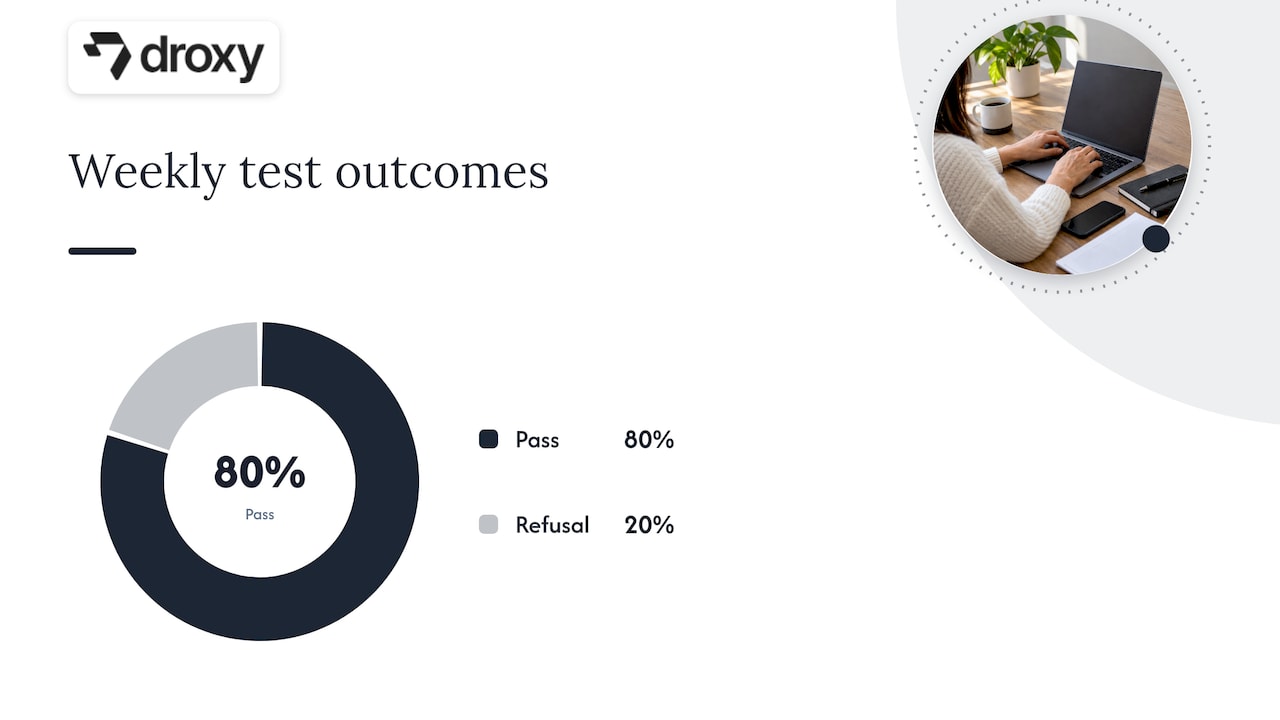
Pro Tip: Run a weekly test where you ask your own bot five tricky questions, including one it should refuse to answer. If it invents an answer instead of deferring, fix the prompt before another lead sees it.
Measuring what your chatbot actually delivers
Four numbers tell you whether a pilot is working: response time, lead-to-appointment rate, qualified-lead conversion rate, and hours of agent time saved per week.
Tag every chatbot conversation in your CRM with a source field so you can separate bot-generated leads from other channels.
Record the timestamp of first response and the timestamp of appointment booking to calculate speed-to-lead.
Run small A/B tests on script wording, like comparing “Want to see it this week?” against “Ready to schedule a tour?”
Only a minority of agents currently use chatbots for lead capture or client communication, even though many have used AI in their business, according to NAR’s 2025 technology survey. That gap means a well-measured pilot can outperform competitors who have not moved past basic AI experimentation.
Where Droxy fits into these workflows
Droxy is a no-code platform for building AI agents that answer questions and capture leads across website chat, phone, WhatsApp, Instagram, and Facebook, all without writing a line of code.
Deploys 24/7 agents so a listing Q&A bot or qualification flow never goes offline overnight.
Connects to existing business systems, which supports the CRM and calendar writebacks described in the build plan above.
Offers deep customization so the bot’s tone matches your brokerage voice instead of sounding generic.
Includes white-label options for agencies managing chatbot deployments across multiple brokerage clients.
Supports a large user base across industries relying on the platform for customer interaction.
The AI agent versus chatbot comparison is worth a read if you are deciding between a scripted bot and a more conversational agent for listing Q&A.
What agents get wrong about chatbot adoption
Most agents treat a chatbot like a replacement for themselves instead of a filter that protects their time. The real win is not the bot answering questions at 2 AM, but the bot handing you a warm, qualified lead by the time you wake up. Start with one workflow, watch your show-rate and lead quality for a few weeks, and only add channels once those numbers hold steady.
— Elena
Deploy these ideas without building anything from scratch
Several of the ideas above map directly to specific Droxy products: the listing Q&A and scheduling bots run on the AI powered Website agent, social lead capture ideas run on the AI powered Instagram agent and AI powered WhatsApp agent, and after-hours qualification runs on the AI powered Phone agent.

Pick one workflow from this article and build it as a pilot before expanding to other channels.
Compare plans on the Droxy pricing page to find the tier that fits your lead volume.
Agencies managing multiple brokerage clients can review the agency option for white-labeled deployments.
Test your first script with real transcripts for two weeks, then scale once the numbers hold.
Sources
FAQ
What are the best chatbots for real estate?
The most effective setups focus on lead qualification, showing scheduling, and listing Q&A rather than trying to automate everything at once. Platforms that connect to your MLS feed, CRM, and calendar, like Droxy’s website and phone agents, tend to produce the most reliable results because answers stay anchored to real data.
What are some creative chatbot ideas for real estate?
Beyond basic lead capture, agents are using bots for open house check-ins, past client re-engagement campaigns, new listing alerts matched to buyer criteria, and investor deal-flow screening. Each idea works best when it ends in a clear next step, like a booked showing or a scheduled call.
What are the hottest real estate chatbot topics right now?
Fair-housing-safe scripting and hallucination prevention are getting the most attention, since bots that invent property details or ask inappropriate questions create real legal risk. Interactive listing assistants that answer neighborhood and property questions are also gaining traction, a trend NAR has reported on directly.
How do I choose which chatbot idea to start with?
Start with buyer or seller lead qualification, since it converts casual visitors into booked appointments faster than any other workflow. Pilot one idea on a limited segment of traffic, review transcripts daily for two weeks, and expand only after your lead-to-appointment rate improves.
Is it legal for a real estate chatbot to ask about buyer preferences?
Yes, as long as questions stay limited to objective criteria like budget, timeline, and property features, and avoid topics tied to protected classes such as family status or national origin. Building those limits into the script from day one is the safest approach, and a human handoff should always be available for sensitive questions.
Recommended
The chatbot ideas worth your time fall into three categories: lead qualification, showing scheduling, and listing Q&A. Start with buyer or seller lead qualification first, since it moves a casual browser toward a booked appointment faster than any other workflow. Below you will find ready-to-use scripts, the integrations that make them accurate, the safety guardrails that protect you legally, and the numbers that tell you if a pilot is working.
TL;DR:
Lead qualification chatbots that confirm budget, timeline, and property preferences deliver the fastest conversion to booked appointments.
Integrating MLS, CRM, and calendar systems ensures real-time data accuracy, preventing misinformation and building trust with leads.
Building a single, well-tested workflow before scaling helps avoid pilot stalls, with daily transcript reviews guiding fine-tuning.
Chatbots should focus on objective, property-related questions and include human handoffs to avoid legal and trust issues.
Droxy offers a no-code platform to deploy AI chatbots across multiple channels, supporting quick setup, customization, and reliable data integration.
DroxyTurn Real Estate Leads Into ConversationsDeploy a customizable AI agent across website chat, phone, WhatsApp, Instagram, Facebook, or Shopify for instant customer interactions.Explore Droxy
Table of Contents
Practical chatbot ideas you can deploy this month
Matching ideas to buyer, seller, and rental goals
How to build and launch your first chatbot workflow
Integrations that keep your chatbot’s answers accurate
Guardrails that prevent legal and trust problems
Measuring what your chatbot actually delivers
Where Droxy fits into these workflows
What agents get wrong about chatbot adoption
Deploy these ideas without building anything from scratch
Sources
Practical chatbot ideas you can deploy this month
Each idea below is built to be copied, adapted, and tested within a day or two. Match the idea to the channel where your buyers and sellers already spend time, then adjust the script to your market.
Buyer lead qualification bot. Opens with “Are you looking to buy in the next 3 months, 6 months, or just browsing?” then asks budget range and must-have features. Best on your website; benefits agents juggling high lead volume.
Seller valuation starter. Asks for the property address and a rough timeline to sell, then offers a callback to discuss pricing. Works well on Facebook and your homepage.
Showing scheduler. Pulls open slots from your calendar and books a tour directly. Best on website chat and WhatsApp; benefits agents who lose time on back-and-forth texting.
Listing Q&A assistant. Answers square footage, school district, and HOA fee questions pulled from your MLS feed. Best embedded on individual listing pages.
Rental application triage. Confirms income, move-in date, and pet policy fit before forwarding a full application. Ideal for property managers handling multifamily units.
Open house check-in. Captures name, phone number, and interest level at the door, then follows up automatically. Works on a tablet kiosk or QR code linked to WhatsApp.
After-hours phone qualifier. Answers calls outside office hours, asks the same qualification questions as the web bot, and texts a summary to the agent. Best on a phone agent channel.
Neighborhood explainer bot. Answers questions about commute times, parks, and nearby schools using verified local data. Pairs well with listing Q&A on high-traffic ZIP codes.
Instagram DM responder. Replies to “Is this still available?” comments and DMs with current status and a scheduling link. Best for agents running heavy social ad spend.
Mortgage pre-qualification referral. Asks about down payment and income range, then routes qualified buyers to a lender partner. Useful for teams with in-house lending relationships.
Past client re-engagement bot. Checks in with former clients about referrals or a second home search. Works well as a scheduled WhatsApp campaign.
New listing alert assistant. Lets leads set criteria (price, bedrooms, area) and get notified when a match hits the MLS. Strong for buyer’s agents nurturing a long list.
Commercial property inquiry bot. Qualifies square footage needs, lease length, and budget for commercial leads. Fits brokerages with a mixed residential and commercial book.
Investor deal-flow screener. Asks about cap rate targets and preferred property type before forwarding off-market deals. Useful for investment-focused teams.
Post-showing feedback bot. Texts after a tour asking for interest level and objections, feeding straight into your CRM notes. Best run automatically after any showing is logged.
A few of these ideas share a single rule: the fastest qualifying questions are the ones that sound like a helpful assistant, not a form.
Ask about timeline and budget before asking about financing details.
Keep each question to one sentence so mobile users do not abandon the chat.
Always offer a human handoff option after the second or third question.
Pro Tip: Never ask a lead about family status, religion, or national origin, even casually. Stick to property facts, budget, and timeline, and you sidestep fair-housing risk while keeping the conversation faster.
Matching ideas to buyer, seller, and rental goals
Grouping these ideas by who they serve makes it easier to pick a starting point.
Buyer leads: qualification bots that confirm budget and timeline, paired with a scheduler that books the first showing without a phone call.
Seller leads: valuation starters that estimate value quickly and route warm leads to a listing consultation.
Rentals: application triage bots that screen income and move-in dates before a human reviews the full file.
Property management: tenant support bots that answer maintenance and lease questions around the clock.
Listing engagement: Q&A assistants embedded on property pages that answer questions in real time, a pattern NAR has reported as a growing feature on interactive listing pages.
A typical flow looks like this: a buyer asks “What’s the price on 142 Oak Street?” The bot answers with the listed price and square footage, asks if they would like to see it this week, and books a showing slot straight into the agent’s calendar. Another common pattern: a seller lead types “What’s my house worth?” and the bot asks for the address and condition, then schedules a 15-minute valuation call. Both end in a calendar event, which is the outcome that matters most for a pilot.
How to build and launch your first chatbot workflow
Pick one workflow before you touch any software. Trying to launch five bots at once is how pilots stall.
Choose a single workflow. Buyer qualification or showing scheduling usually produces the fastest return.
Write qualification questions in a spreadsheet first. List every question, the expected answer types, and a simple scoring rule for hot, warm, and cold leads.
Map routing rules. Decide which lead score goes to which agent, and which answers trigger an immediate human handoff.
Connect your listing feed. Validate that addresses, prices, and statuses pulled from your MLS or IDX feed match what is live on your site.
Integrate your CRM and calendar. Every qualified lead and booked showing should write back automatically, with no manual entry.
Pilot with real conversations. Run the bot on a limited segment of traffic first, built around the practitioner approach of validating feeds and testing with live transcripts before a wider rollout, as one implementation guide outlines.
Review transcripts daily for the first two weeks. Look for wrong answers, awkward phrasing, or leads that dropped off mid-conversation, and adjust the script.
Pro Tip: Treat the first two weeks like a listening exercise. The transcripts will tell you exactly where buyers get confused, long before a complaint reaches your inbox.
Integrations that keep your chatbot’s answers accurate
A chatbot is only as reliable as the data behind it. Four connections matter most.
MLS/IDX feed: powers every listing fact, from price to days on market, and should refresh at least daily to avoid showing stale listings.
Property management system (PMS): feeds unit availability and lease terms for rental and tenant support bots.
CRM: writes back every qualified lead, conversation summary, and lead score so agents never work from guesswork.
Calendar system: syncs available showing slots in real time so the bot never double-books a tour.
When a data feed is missing or outdated, the bot should say so plainly, offer to connect the lead with an agent, and avoid guessing at a price or status. A short delay in a real answer builds more trust than a fast wrong one.
Guardrails that prevent legal and trust problems
Every chatbot idea above depends on one rule: never let the bot invent a fact. Anchor every property detail to your validated listing feed, and attach a visible timestamp so buyers know how current the information is, a safeguard specifically recommended to reduce hallucination risk in real estate bots.
Never ask about race, religion, family status, disability, or national origin, even in casual phrasing.
Stick to objective criteria: budget, timeline, bedroom count, and location preferences.
Build in a human handoff trigger for any question the bot cannot answer from verified data.
Test for prompt injection by trying to make the bot ignore its instructions before launch.
NAR leadership has pointed out that AI tools should support, not replace, the agent-client relationship, which is the same principle behind a solid handoff design.
Pro Tip: Run a weekly test where you ask your own bot five tricky questions, including one it should refuse to answer. If it invents an answer instead of deferring, fix the prompt before another lead sees it.
Measuring what your chatbot actually delivers
Four numbers tell you whether a pilot is working: response time, lead-to-appointment rate, qualified-lead conversion rate, and hours of agent time saved per week.
Tag every chatbot conversation in your CRM with a source field so you can separate bot-generated leads from other channels.
Record the timestamp of first response and the timestamp of appointment booking to calculate speed-to-lead.
Run small A/B tests on script wording, like comparing “Want to see it this week?” against “Ready to schedule a tour?”
Only a minority of agents currently use chatbots for lead capture or client communication, even though many have used AI in their business, according to NAR’s 2025 technology survey. That gap means a well-measured pilot can outperform competitors who have not moved past basic AI experimentation.
Where Droxy fits into these workflows
Droxy is a no-code platform for building AI agents that answer questions and capture leads across website chat, phone, WhatsApp, Instagram, and Facebook, all without writing a line of code.
Deploys 24/7 agents so a listing Q&A bot or qualification flow never goes offline overnight.
Connects to existing business systems, which supports the CRM and calendar writebacks described in the build plan above.
Offers deep customization so the bot’s tone matches your brokerage voice instead of sounding generic.
Includes white-label options for agencies managing chatbot deployments across multiple brokerage clients.
Supports a large user base across industries relying on the platform for customer interaction.
The AI agent versus chatbot comparison is worth a read if you are deciding between a scripted bot and a more conversational agent for listing Q&A.
What agents get wrong about chatbot adoption
Most agents treat a chatbot like a replacement for themselves instead of a filter that protects their time. The real win is not the bot answering questions at 2 AM, but the bot handing you a warm, qualified lead by the time you wake up. Start with one workflow, watch your show-rate and lead quality for a few weeks, and only add channels once those numbers hold steady.
— Elena
Deploy these ideas without building anything from scratch
Several of the ideas above map directly to specific Droxy products: the listing Q&A and scheduling bots run on the AI powered Website agent, social lead capture ideas run on the AI powered Instagram agent and AI powered WhatsApp agent, and after-hours qualification runs on the AI powered Phone agent.
Pick one workflow from this article and build it as a pilot before expanding to other channels.
Compare plans on the Droxy pricing page to find the tier that fits your lead volume.
Agencies managing multiple brokerage clients can review the agency option for white-labeled deployments.
Test your first script with real transcripts for two weeks, then scale once the numbers hold.
Sources
FAQ
What are the best chatbots for real estate?
The most effective setups focus on lead qualification, showing scheduling, and listing Q&A rather than trying to automate everything at once. Platforms that connect to your MLS feed, CRM, and calendar, like Droxy’s website and phone agents, tend to produce the most reliable results because answers stay anchored to real data.
What are some creative chatbot ideas for real estate?
Beyond basic lead capture, agents are using bots for open house check-ins, past client re-engagement campaigns, new listing alerts matched to buyer criteria, and investor deal-flow screening. Each idea works best when it ends in a clear next step, like a booked showing or a scheduled call.
What are the hottest real estate chatbot topics right now?
Fair-housing-safe scripting and hallucination prevention are getting the most attention, since bots that invent property details or ask inappropriate questions create real legal risk. Interactive listing assistants that answer neighborhood and property questions are also gaining traction, a trend NAR has reported on directly.
How do I choose which chatbot idea to start with?
Start with buyer or seller lead qualification, since it converts casual visitors into booked appointments faster than any other workflow. Pilot one idea on a limited segment of traffic, review transcripts daily for two weeks, and expand only after your lead-to-appointment rate improves.
Is it legal for a real estate chatbot to ask about buyer preferences?
Yes, as long as questions stay limited to objective criteria like budget, timeline, and property features, and avoid topics tied to protected classes such as family status or national origin. Building those limits into the script from day one is the safest approach, and a human handoff should always be available for sensitive questions.
Recommended



🚀
Powered by Droxy
Turn every interaction into a conversion
Customer facing AI agents that engage, convert, and support so you can scale what matters.
✨
Learn more
Recent posts

Insights
3 min read
Introducing Agent Memories
Improve your agents' performance with Agent Memories. Prevent agents from repeating the same mistakes by giving them feedback.
Read more

Insights
15 min read
HVAC Marketing in 2025: The Definitive Lead Gen Guide
Discover 15 proven HVAC marketing strategies, plus learn how Droxy's AI website agent converts curious visitors into qualified leads by answering their questions instantly - right when they're most interested in your services.
Read more

Insights
10 min read
10 Best AI Sales Agents in 2025: Tested & Ranked
Discover the top 10 AI sales agents of 2025, designed to enhance lead generation, personalize outreach, and ultimately, close more deals
Read more
Insights
3 min read
Introducing Agent Memories
Improve your agents' performance with Agent Memories. Prevent agents from repeating the same mistakes by giving them feedback.
Read more
Insights
15 min read
HVAC Marketing in 2025: The Definitive Lead Gen Guide
Discover 15 proven HVAC marketing strategies, plus learn how Droxy's AI website agent converts curious visitors into qualified leads by answering their questions instantly - right when they're most interested in your services.
Read more